The app store Homebrew never had. Browse every app, font, and formula by category — with full screenshots, rich detail cards, and everything you need to decide right there in the app. No jumping to external pages. No guessing. Free forever, no Pro tier.
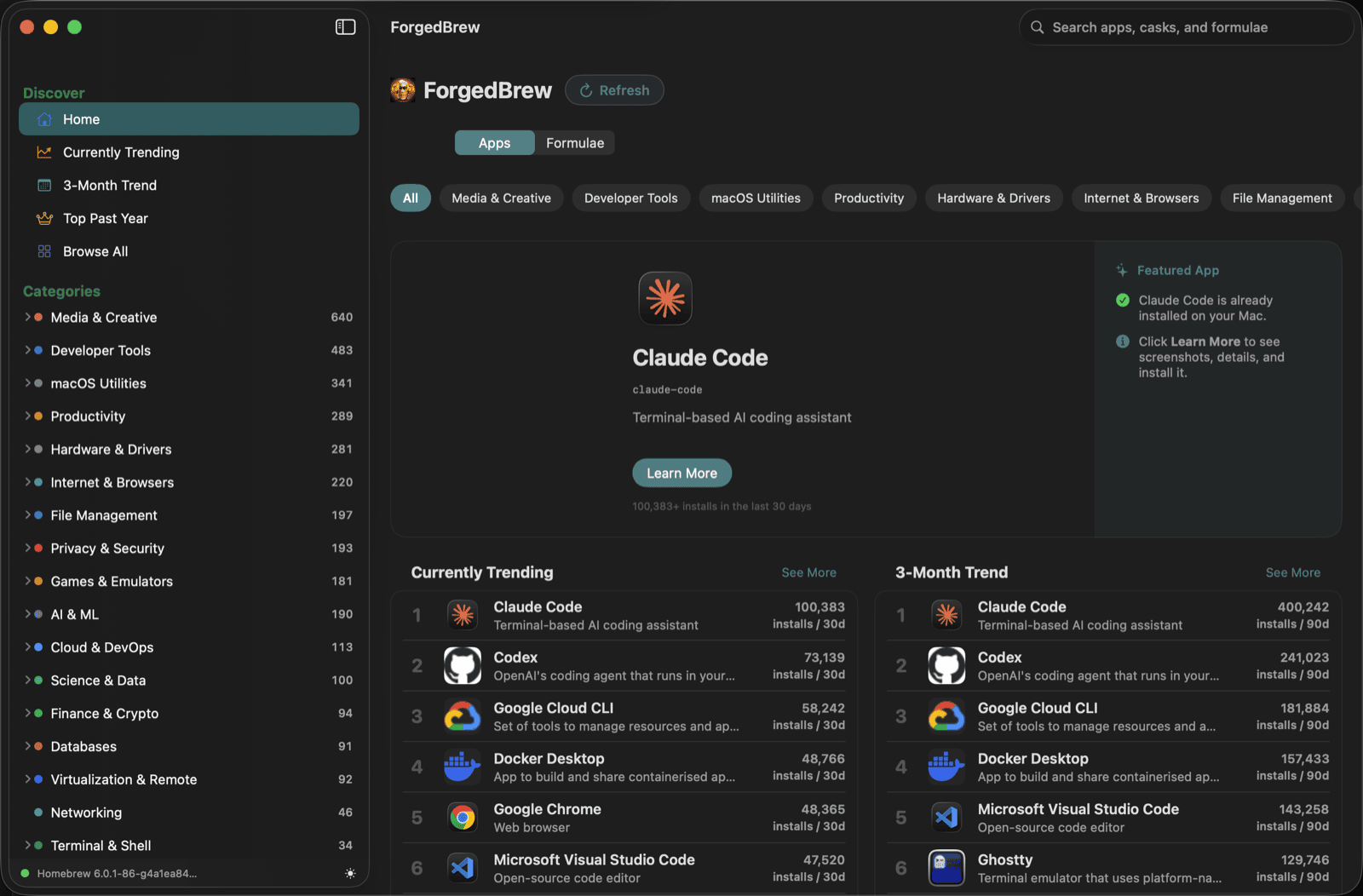
Every other Homebrew GUI shows you a list of what's installed. That's not enough when you're trying to discover something new.
You'd find something in a Homebrew GUI, then leave to search the app's website to see screenshots, read reviews, understand what it does. Back and forth, every time. ForgedBrew puts all of that inside the app.
Every app, font, and formula has a full detail card — screenshots, description, install counts, version history, homepage, license, and more. Want to see what a font looks like before installing? It's right there. Wondering what a formula actually does? Same.
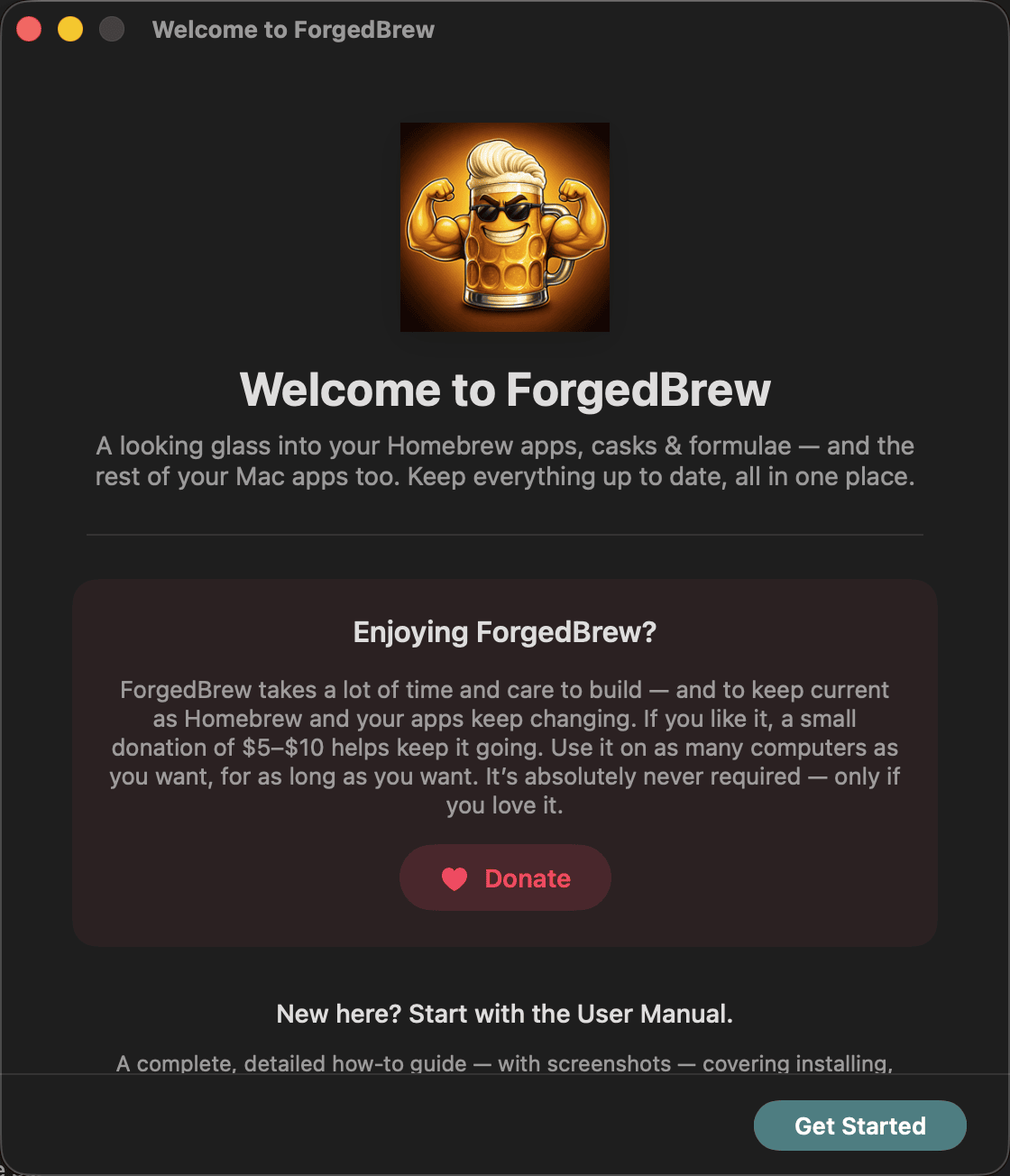
No Pro tier. No 30-day trial. No features locked away. ForgedBrew is completely free, open source under Apache 2.0, and always will be. Use it on every Mac you own, for as long as you want.
ForgedBrew is a native SwiftUI app with a polished two-pane layout. Dark mode is the default — with full light mode support in Settings.
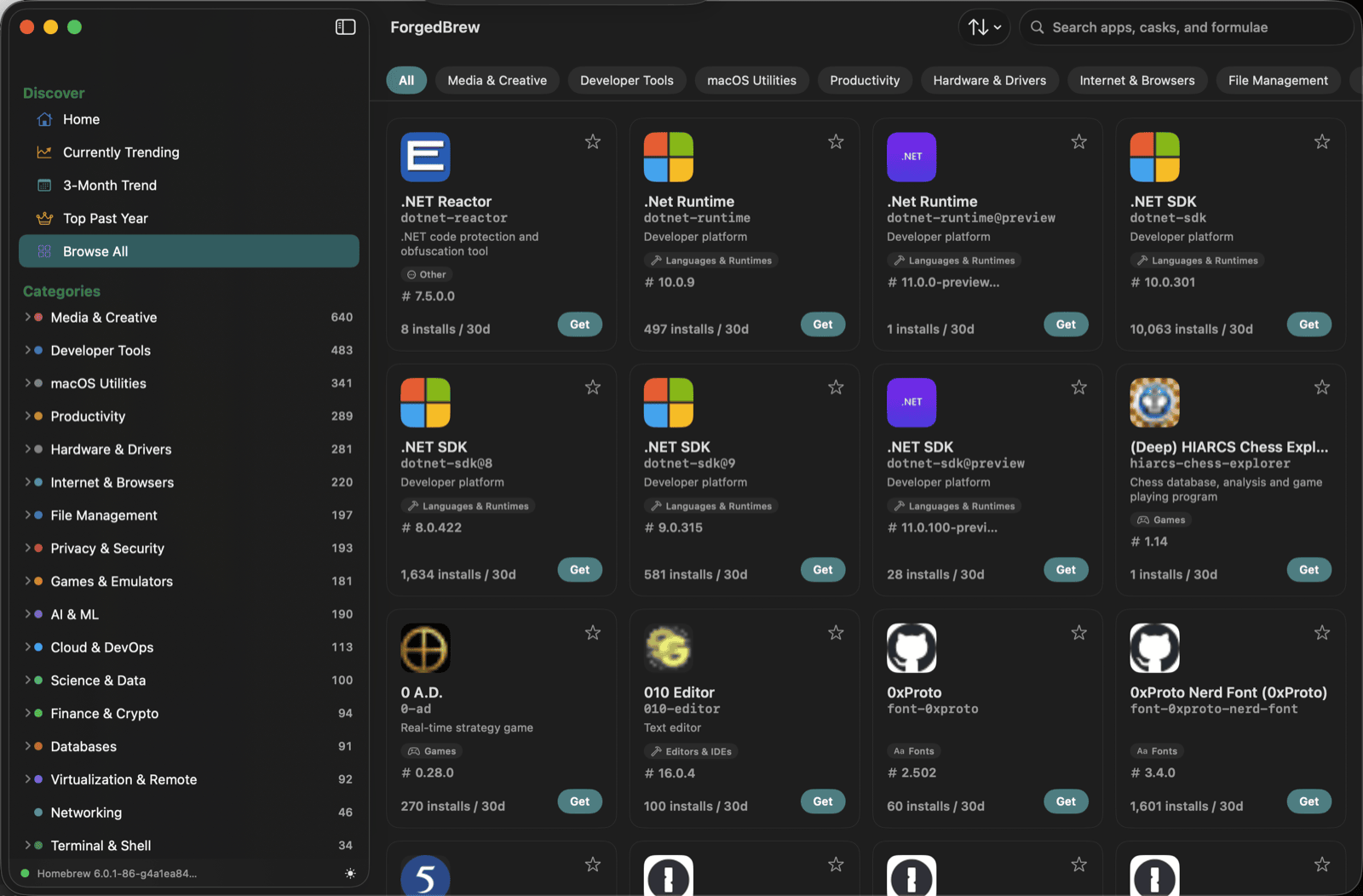
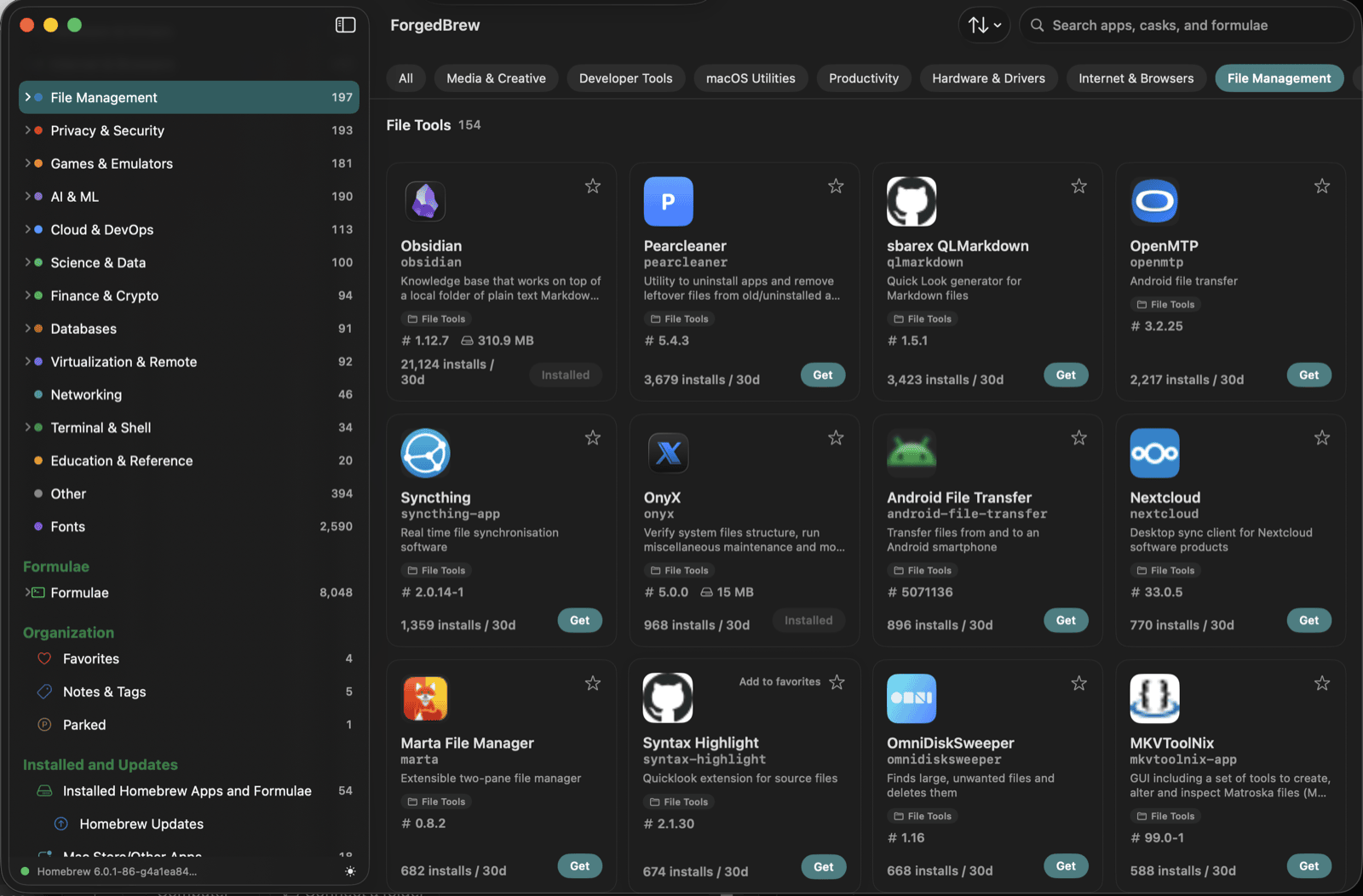
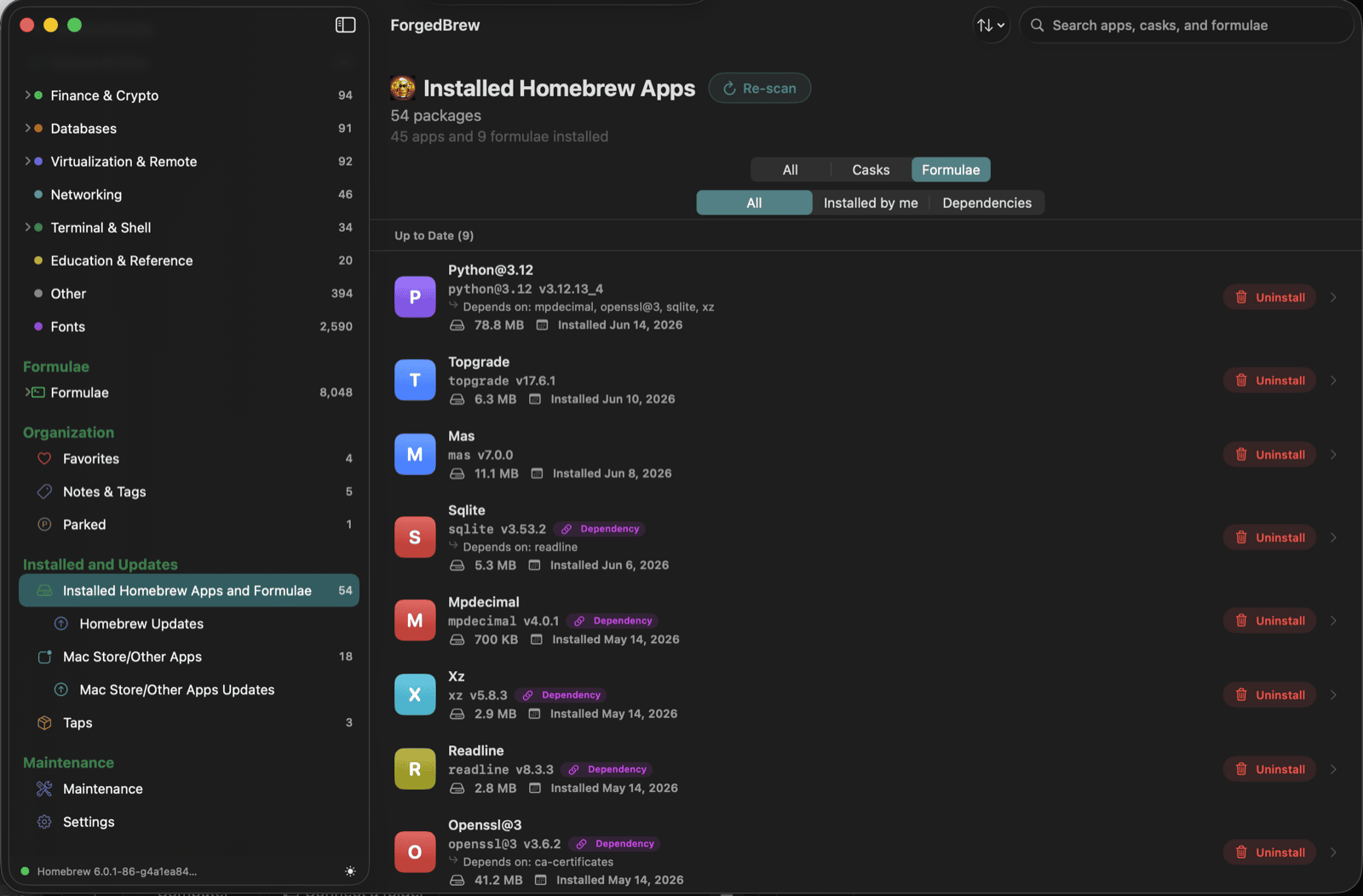
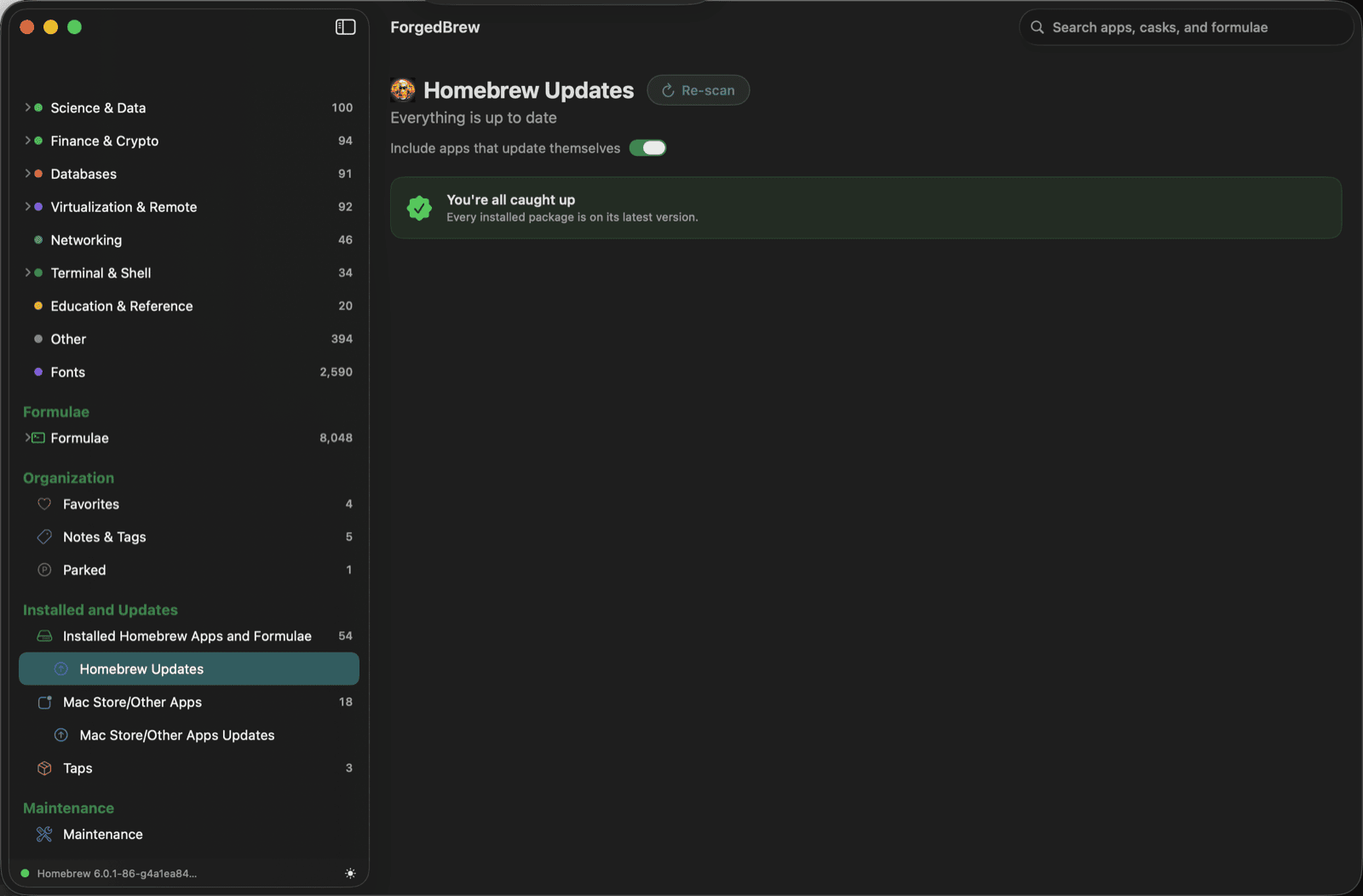
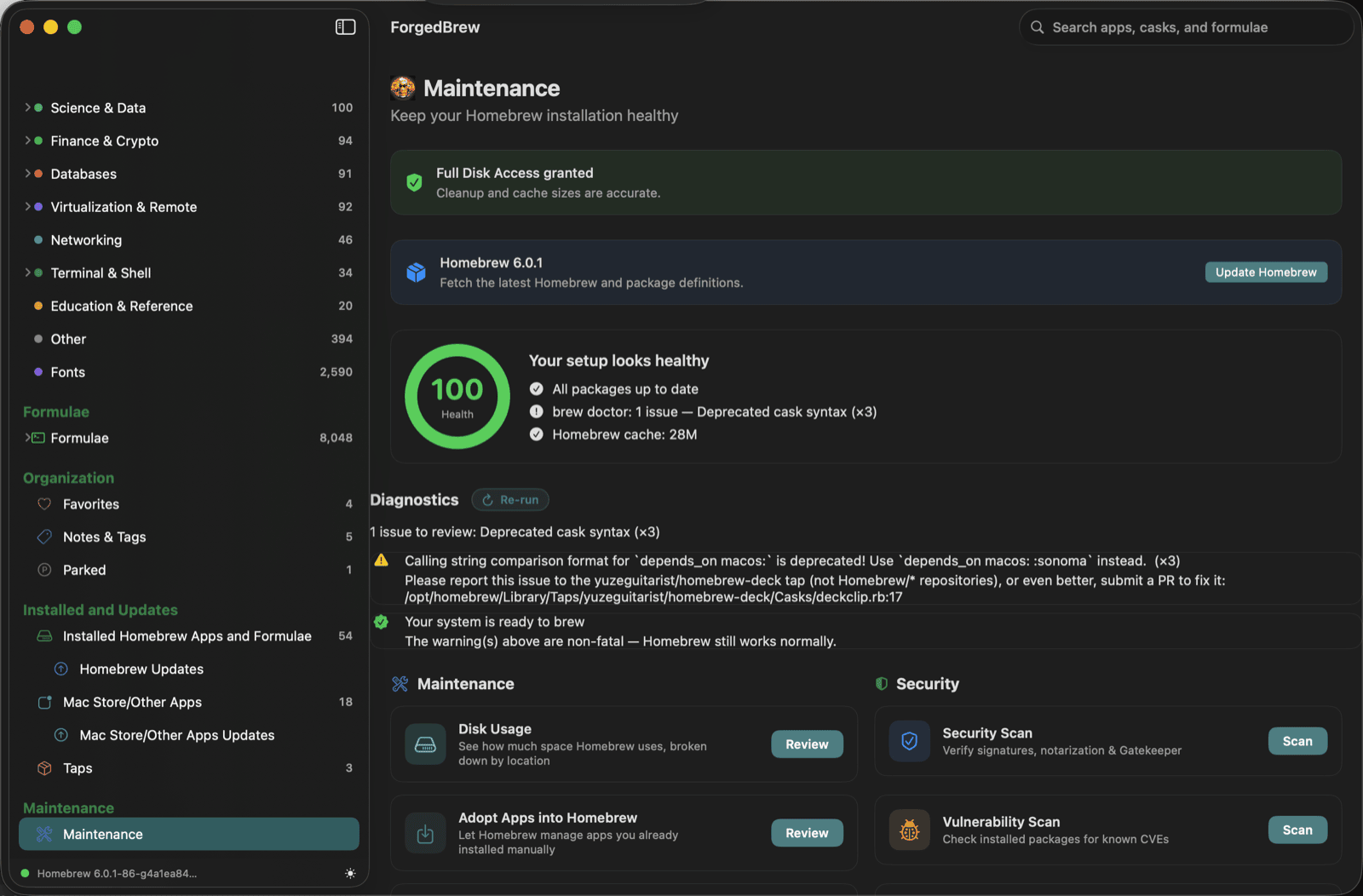
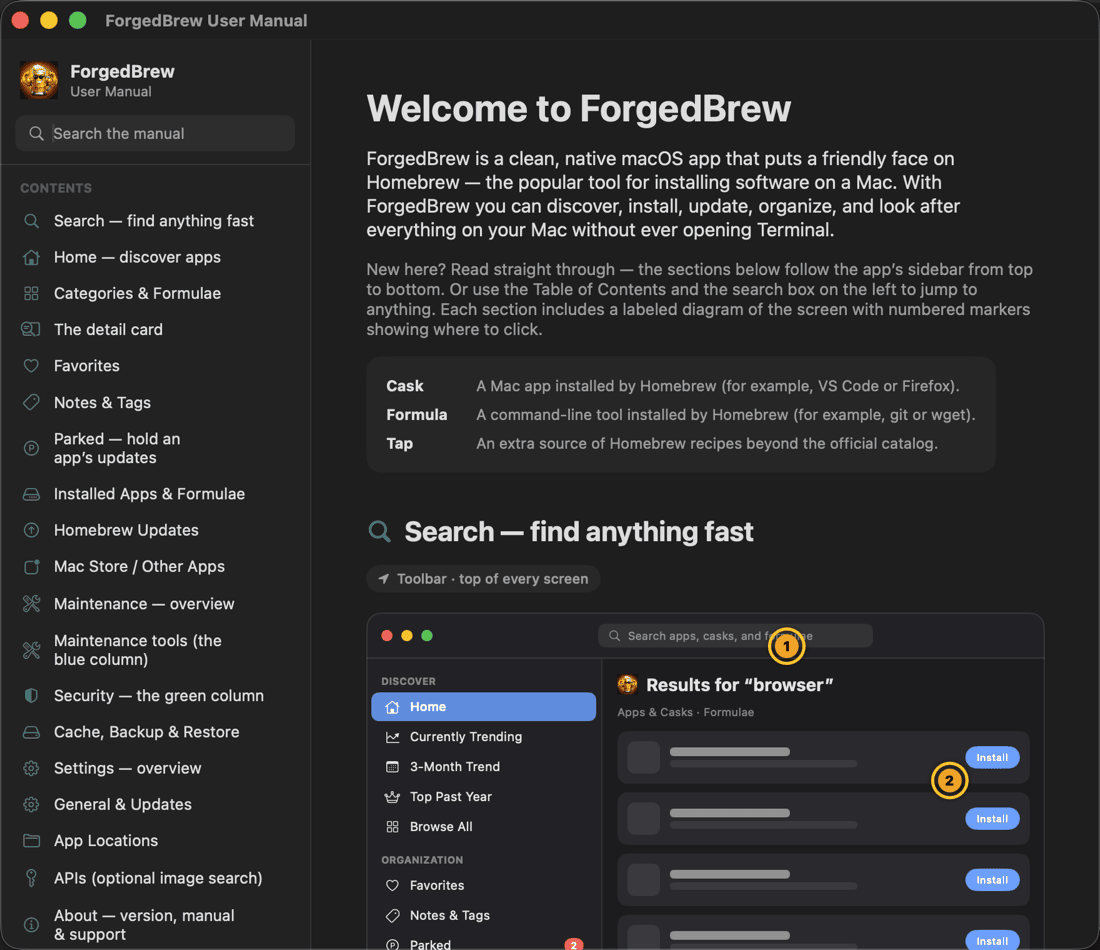
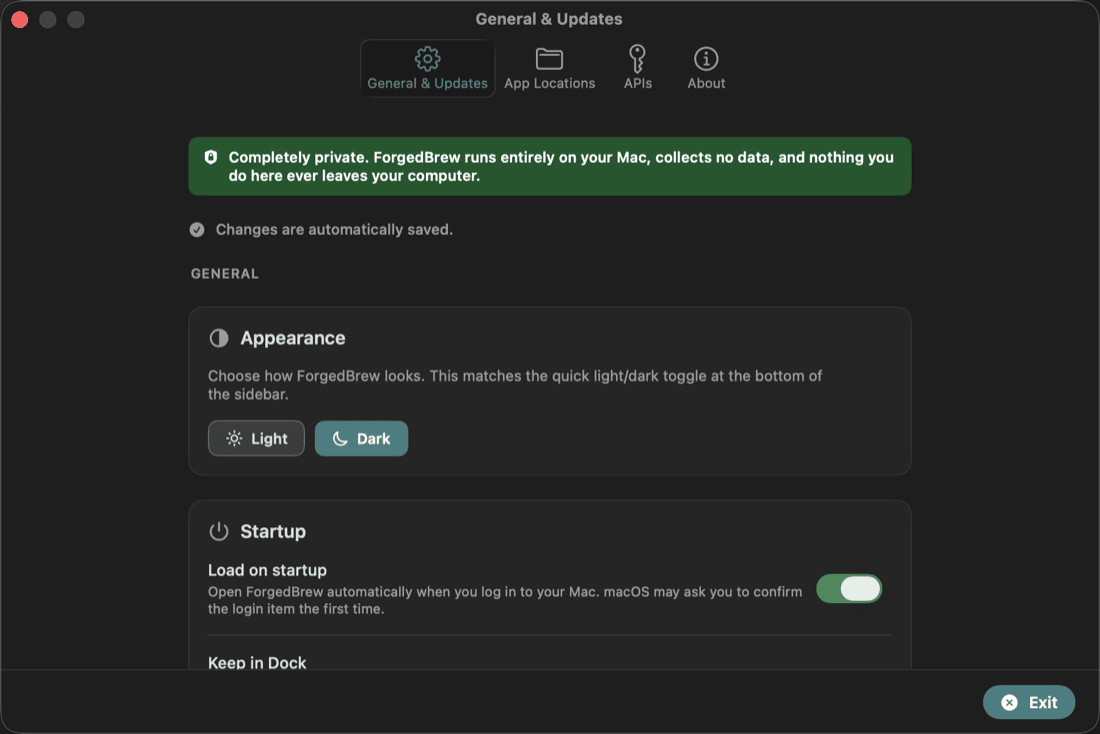
Every other Homebrew GUI shows you what's installed. ForgedBrew shows you everything — the entire Homebrew universe, searchable across every field, richly illustrated, and categorised deeper than anything else on the market.
The search field is always in the toolbar — one keystroke away on every screen. ForgedBrew searches the full Homebrew catalog simultaneously across app name, Homebrew token, and description. So typing "password manager" or "screenshot" finds exactly what you're after, even if the words aren't in the name. Results rank by popularity, so the right thing floats to the top.
The sidebar organises the entire catalog into categories — Developer Tools, Productivity, Internet & Browsers, Privacy & Security, Games, AI & ML, and more — each expanding into sub-categories. Browse Developer Tools › Databases, or Privacy & Security › VPN, in two clicks. No other Homebrew GUI goes this deep.
Currently Trending, 3-Month Trend, and Top Past Year give you three lenses on what the Homebrew community is loving right now and over time. Discover software you'd never have thought to search for.
See exactly what you're installing before it hits your Mac. Full screenshots and rich metadata for casks — a visual catalog, not just a list of tokens.
Built-in vulnerability scanning plus Trust Management Screening across your entire installed package set. ForgedBrew gets you ahead of Homebrew's September 1, 2026 cask change — when Homebrew stops clearing the macOS quarantine flag for you. It screens every cask app against the four signals macOS Gatekeeper uses (code signature, Developer ID, notarization, and Gatekeeper assessment) and tells you, app by app, exactly which ones could break after Sept 1 and why — then fixes them with a deliberate per-app Trust click. Know exactly what's on your Mac before it becomes a problem.
Homebrew formulae, casks, and Mac App Store apps all in one unified Updates view. Update one or update all — ForgedBrew handles Homebrew so you don't have to open Terminal.
Hold any package at its current version. Parked apps are skipped by Update All — perfect when a newer version breaks something. Set a timed hold that expires on its own, or park indefinitely.
Heart any package to save it. Write notes. Create colour-coded tags — "work", "try later", "essential", a client name — and build your own personal index across the entire catalog.
Disk usage analysis, orphan detection, duplicate removal, Brewfile export, and Trust Management Screening — everything you need to keep your Homebrew installation lean and healthy.
Other GUIs stop at what you've already installed. ForgedBrew starts with the full catalog — 15,000+ packages — and gives you the tools to explore, organize, and master it.
Home screen, trending charts, top of year, and full catalog grid. Find great software you didn't know you needed.
Developer Tools, Productivity, AI & ML, Games, Privacy & Security and more — each with sub-categories for precision browsing.
Instant full-catalog search by name, token, and description across casks and formulae simultaneously. Ranked by popularity.
Screenshots, full metadata, install counts, homepage links, license info, tags, and notes — all on one card per package.
The full 8,400+ command-line tools catalog, categorised and searchable — not just the ones you've installed.
Full support for third-party Homebrew taps. Browse and manage packages from any source alongside the official catalog.
Every other Homebrew GUI shows you what you've already installed. That was never enough. When you're looking for a new app to try, or hunting for just the right font, you'd find yourself bouncing between the GUI, Homebrew's website, and a dozen external app pages — searching, comparing, trying to decide if something was worth installing, all outside the tool that was supposed to help you.
ForgedBrew was built to fix that. It's the app store Homebrew never had — a single place where you can browse the entire catalog by category, read rich detail cards packed with screenshots, descriptions, version info, and install counts, and make an informed decision without ever leaving the app. Apps, fonts, command-line tools, formulae — all in one place, all fully documented, all searchable.
And it's completely free. Not "free with a Pro tier." Not "free for 30 days." Free forever, open source under Apache 2.0, with no features locked away and no upsell.
Created by Rich Wallace · Built with SwiftUI · Apache License 2.0
No Pro tier. No trial period. No features behind a paywall. ForgedBrew is free forever and open source — download it, use it on as many Macs as you want, for as long as you want.
Having trouble? View the release on GitHub for all download options.
Found a bug, have a feature request, or just want to say thanks? Send a message and it'll go straight to the creator.
Thanks for reaching out — you'll hear back as soon as possible.